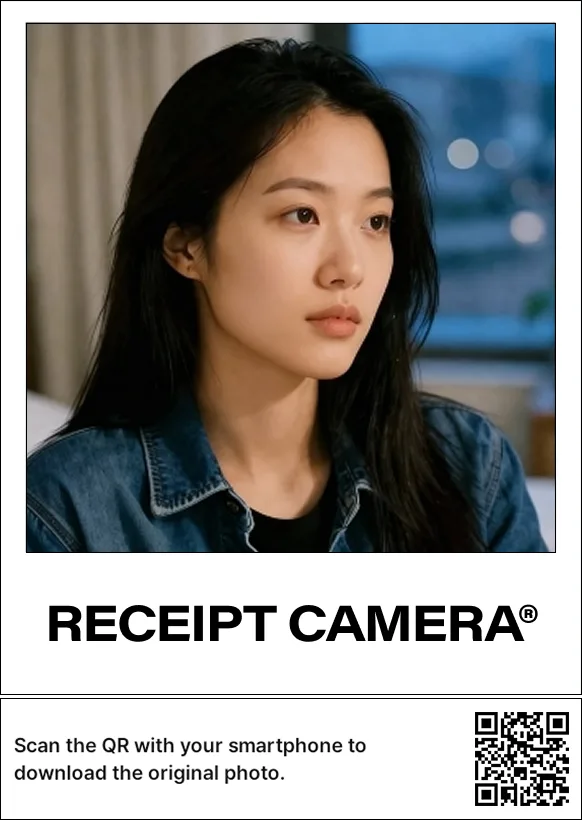
The short answer: Receipt Camera® can print a QR code alongside the photo, and scanning it takes your guest to a page where they download the original shot. The paper stays in the venue, the digital file goes to the phone.
Two extras ride along the same code. Pingpong shot is a motion image that loops the movement from countdown to shutter back and forth. AI Profile turns one AI-retouched frame into a short looping video. Neither needs its own QR, both arrive through the photo download QR.
What lands on the download page
What the guest receives depends on which features are on.
| Feature enabled | What the guest downloads |
|---|---|
| Photo download only | The original photo |
| Pingpong shot | The pingpong shot plus the original photo |
| AI Profile | The AI Profile video, the AI-filtered photo, and the original photo before filtering |
The original photo is always included. On an AI-filtered capture the guest gets the retouched version and the original side by side, and picks whichever they prefer.
First, choose what the QR points to
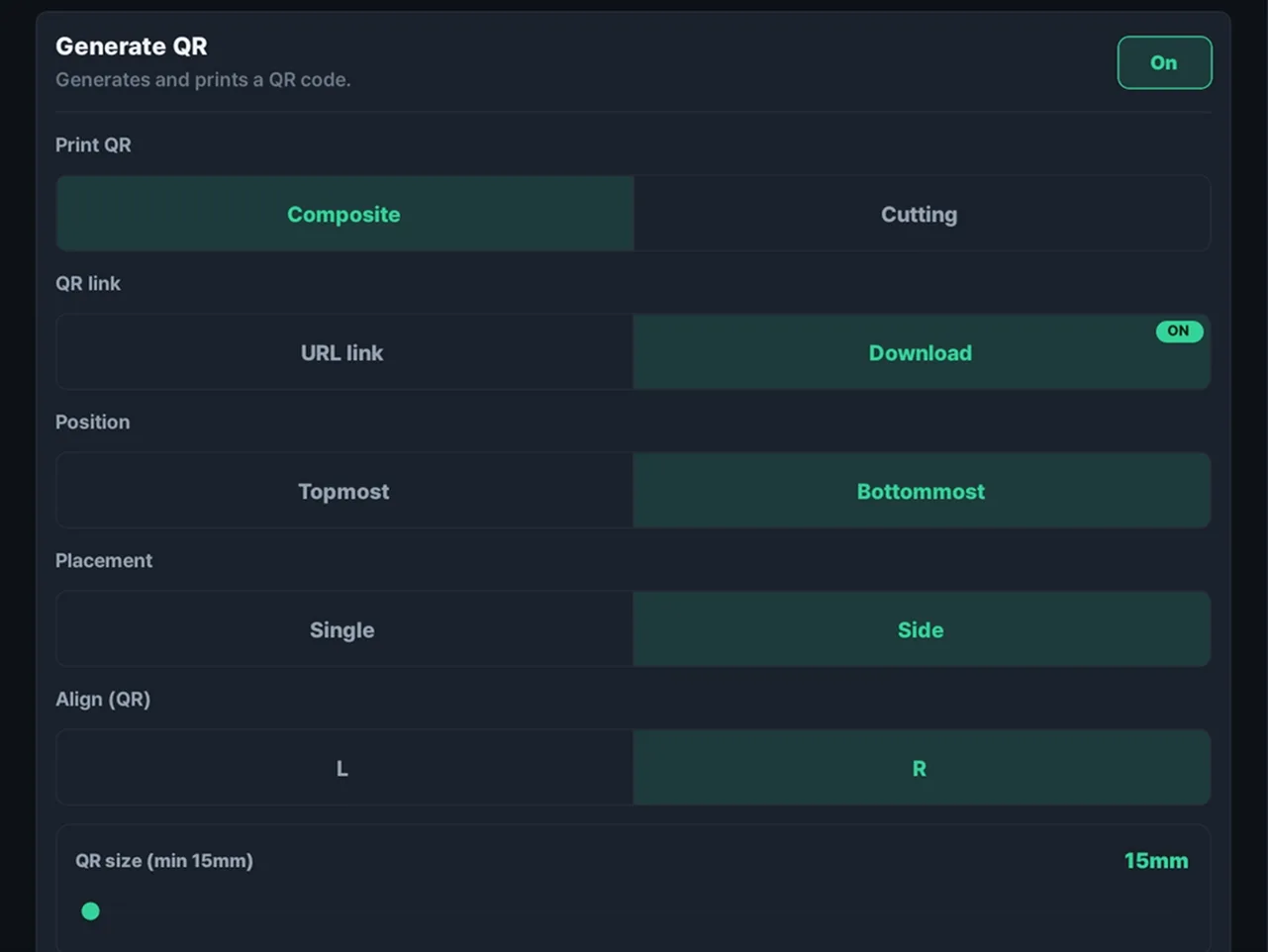
A QR code is printed from two choices: what it links to and how it is printed. There are two link targets.
- URL link: a fixed address you set, such as the venue’s Instagram, a booking page, or an event notice. Good for repeat visits and follows.
- Photo download: a page where the guest downloads the shot that was just taken. Pingpong shot and AI Profile videos are delivered through this same code.
Pingpong shot: an unretouched motion image
Pingpong shot loops the movement between the countdown and the shutter back and forth. It is a WebP file, and it carries no retouching. It reaches the guest together with the original photo through the photo download QR.
Landscape or portrait, it follows whatever capture ratio you set. The point of a pingpong shot is that it keeps the expressions and gestures a single still frame cannot hold.
A few constraints are worth knowing up front.
- It applies to the first capture only.
- The countdown needs to be at least 3 seconds. A shorter setting starts from 3 seconds anyway, and a longer one captures more movement.
- The photo download QR has to be on for it to reach the guest.
- It cannot run at the same time as AI Profile.
- Some lower-spec devices do not support it.
Pingpong shot uses no AI, so it costs no AI credits.
AI Profile: a short video for messenger profiles
AI Profile takes one AI-retouched frame, turns it into a 2 second video, and plays it as a back-and-forth boomerang loop on the download page. It is sized for use as a messenger profile video.
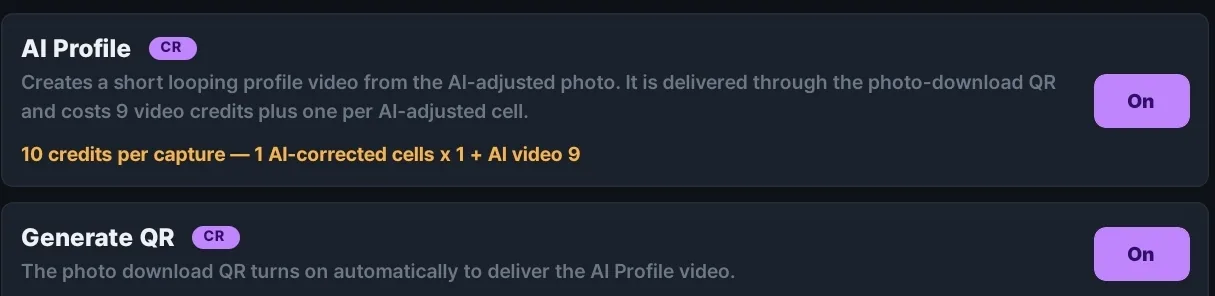
The guest does not just get the video. The AI Profile clip, the AI-filtered photo, and the original photo from before the filter all sit on the same download page.
- It works in the AI capture mode only. Turning it on under any other capture mode has no effect.
- Enabling AI Profile turns the photo download QR on automatically. Because AI Profile is a paid feature billed in credits, that QR download comes with it and works without an Extended subscription.
- Each run costs 9 credits for the video plus one credit per AI-retouched cell, so a single cell is a minimum of 10 credits. More retouched cuts cost more.
- Credits are deducted only when the video is delivered successfully.
- It cannot run at the same time as Pingpong shot.
Composite or cut, two print methods
The print method comes down to whether the QR sits on the photo or comes out separately.
Composite overlays the QR on the photo and prints one piece. You choose the position (top or bottom edge), the layout (alone or beside), and the alignment (left, center, right). Size starts at a 15mm minimum and scales up as far as you want.
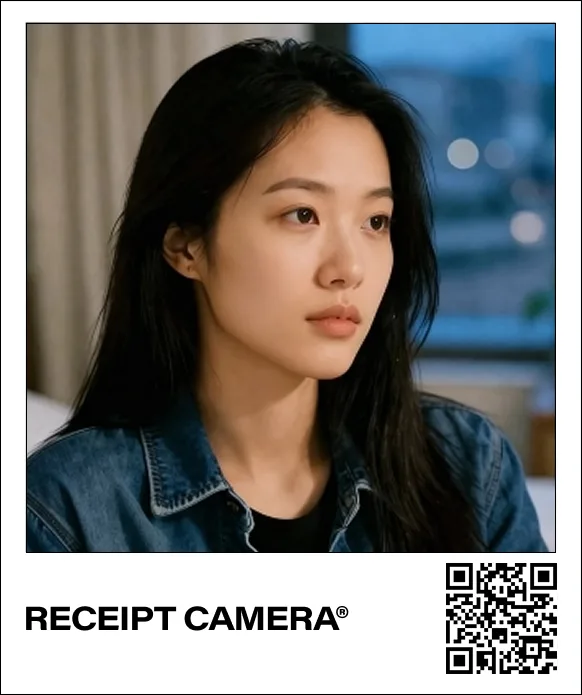
Cut prints the QR as a separate 15mm square, leaving the photo itself free of any code. It suits venues that want the print to stay clean, and it lets a guest keep the photo and discard the QR chip.
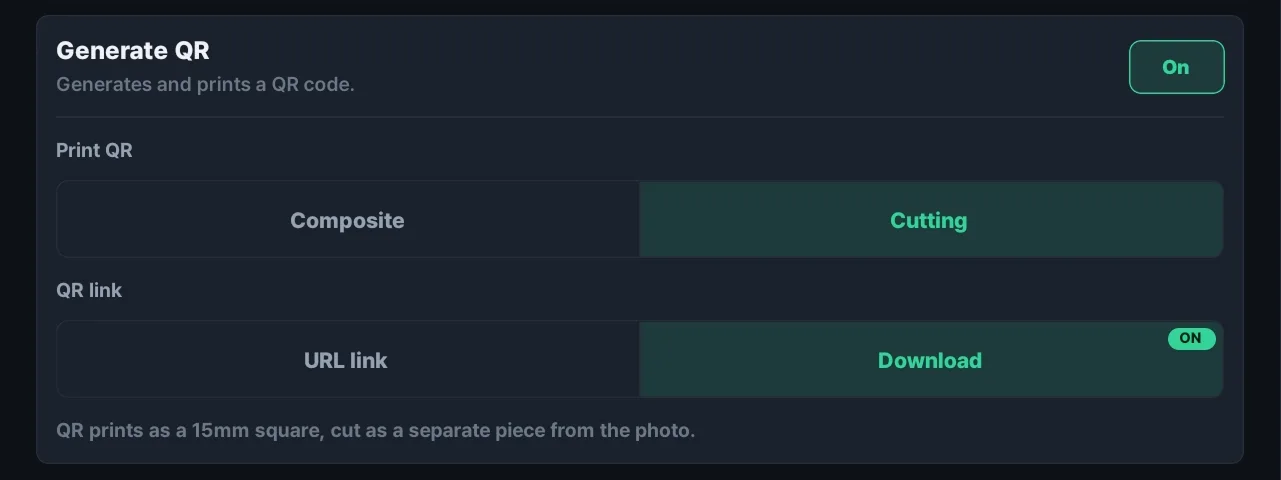
There is a reason the minimum is 15mm. Thermal printing cannot lay down dots as fine as an inkjet, so a smaller code scans poorly.
The subscription is the only thing you set up
The photo download QR and Pingpong shot are Extended subscription features. The PRO subscription covers watermark removal, IMAGE mode, the rear camera, date printing and top and bottom branding; the download QR and the motion image sit one tier above, on the Extended plan. A perpetual licence does not unlock them.
In exchange, the subscription is all there is. The download page a guest lands on and the file delivery behind it are run by Brief Company. No server to rent, no storage to attach, no domain to buy, no links to generate. Turn photo download on in the app, print the QR, and the rest takes care of itself.
Delivering photos digitally normally means the venue has to stand up somewhere to upload to and a page to download from. That whole part is handled for you, so the operator only has to think about capturing and printing.
The URL link QR has no tier requirement. If you only need to send guests to a venue account or a booking page, it prints without the Extended plan.
AI Profile also runs without the Extended subscription. It is a paid feature billed in credits, so the photo download QR needed to deliver the video is bundled into the feature itself. You pay for what you use in credits instead of moving up a tier.
On credits: a newly registered device receives 20 free ones, and an Extended subscription includes 1,000 free AI credits a month plus 30% off every credit bundle. A venue that runs AI Profile often is better off on Extended.
After 72 hours it is deleted
The download page stays open for 72 hours. Each file can be downloaded 10 times, which leaves room for a guest who closed the tab by accident or wants the files on a second device.
Once the 72 hours are up, the page stops opening and the photos and videos on the server are deleted. Nothing lingers after delivery, so the venue has no retention window to manage and the guest has no copy sitting somewhere indefinitely.
It does need saying out loud, though. A single line on the print or on your signage asking guests to download within three days will save you the questions later.
In EDIT capture mode the settings live elsewhere
Set the capture mode to EDIT and the global toggles for QR code, Pingpong shot and AI Profile are greyed out. All three become elements you place and configure inside the EDIT canvas editor instead, which keeps a global setting from colliding with the canvas and breaking the print. Date printing still works as usual.
When you place a QR area on the canvas, you pick one of four purposes, link, photo download, Pingpong shot or AI Profile, and set its position, alignment and size yourself. The three download purposes all resolve to the same download page, so only the link purpose needs a fixed address.
Before you set it up
- Delivering the original photo and Pingpong shot requires the Extended subscription. Beyond that there is no server or storage for the venue to arrange.
- Want to try it before moving up a tier? Start with AI Profile. It only costs credits, and the download QR comes with it.
- If you plan to use Pingpong shot, set the countdown to 3 seconds or more.
- AI Profile only runs when the capture mode is AI.
- Pingpong shot and AI Profile are mutually exclusive. Pick the one that suits the venue.
- Want the print to stay clean? Use cut. Want one piece of paper? Use composite.
- The download page lasts 72 hours. Put that on your signage.
- You can check the QR position and size before printing on the web demo.
Try it now
- Install: get Receipt Camera+ free on Google Play or the App Store. Android, iPhone, and iPad are all supported.
- Guide: the full QR tab settings are documented at receiptcamera.net/tutorial.
If you are planning a venue or an event around digital delivery, use the inquiry form below and the Brief Company team will follow up with an overseas quote or a partnership and distribution conversation.